> For the complete documentation index, see [llms.txt](https://onestore-dev.gitbook.io/dev/llms.txt). Markdown versions of documentation pages are available by appending `.md` to page URLs; this page is available as [Markdown](https://onestore-dev.gitbook.io/dev/cht/tools/webshop.md).
# Webshop Integration Guide
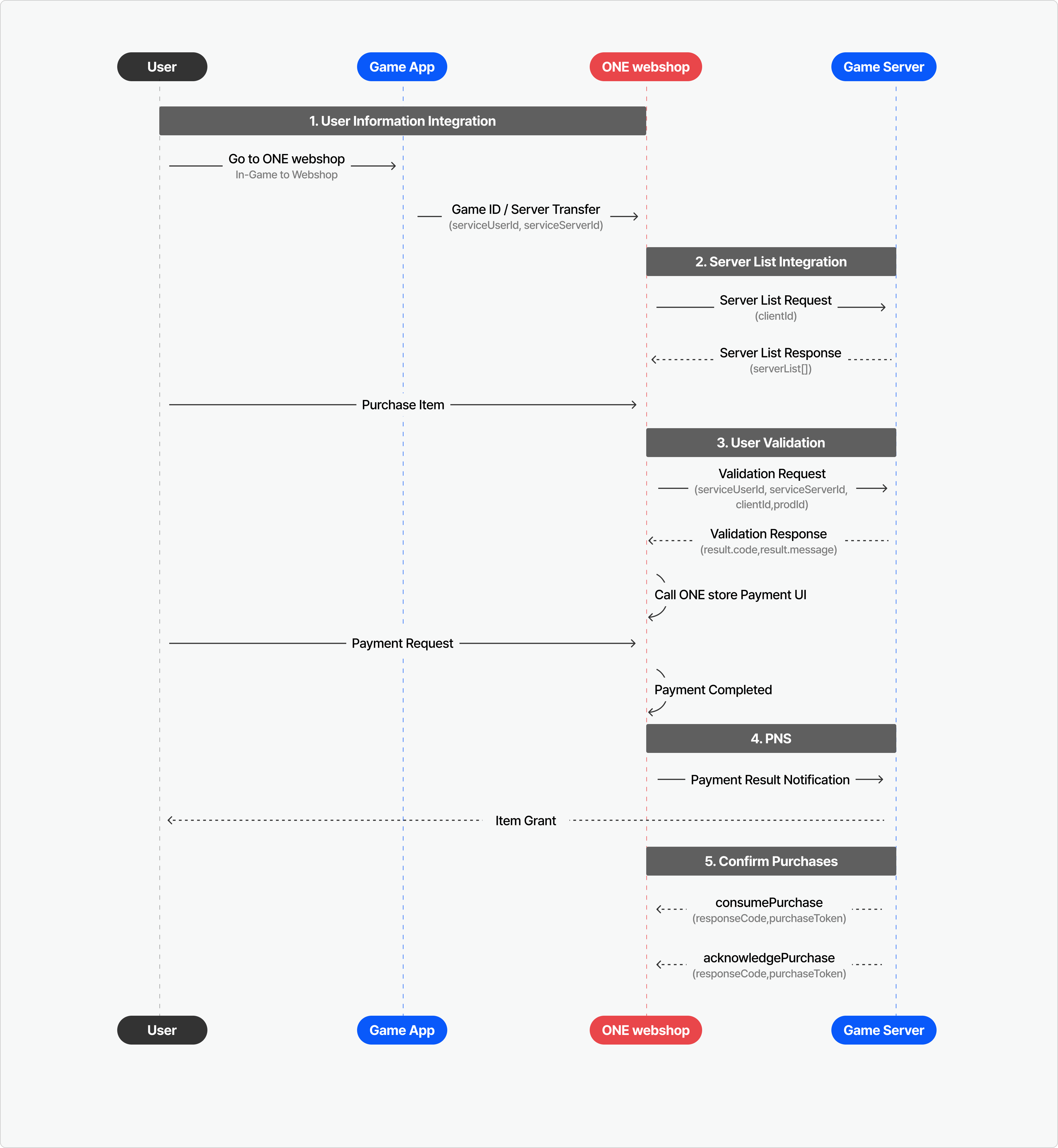
### 1. User Information Integration
View Specs
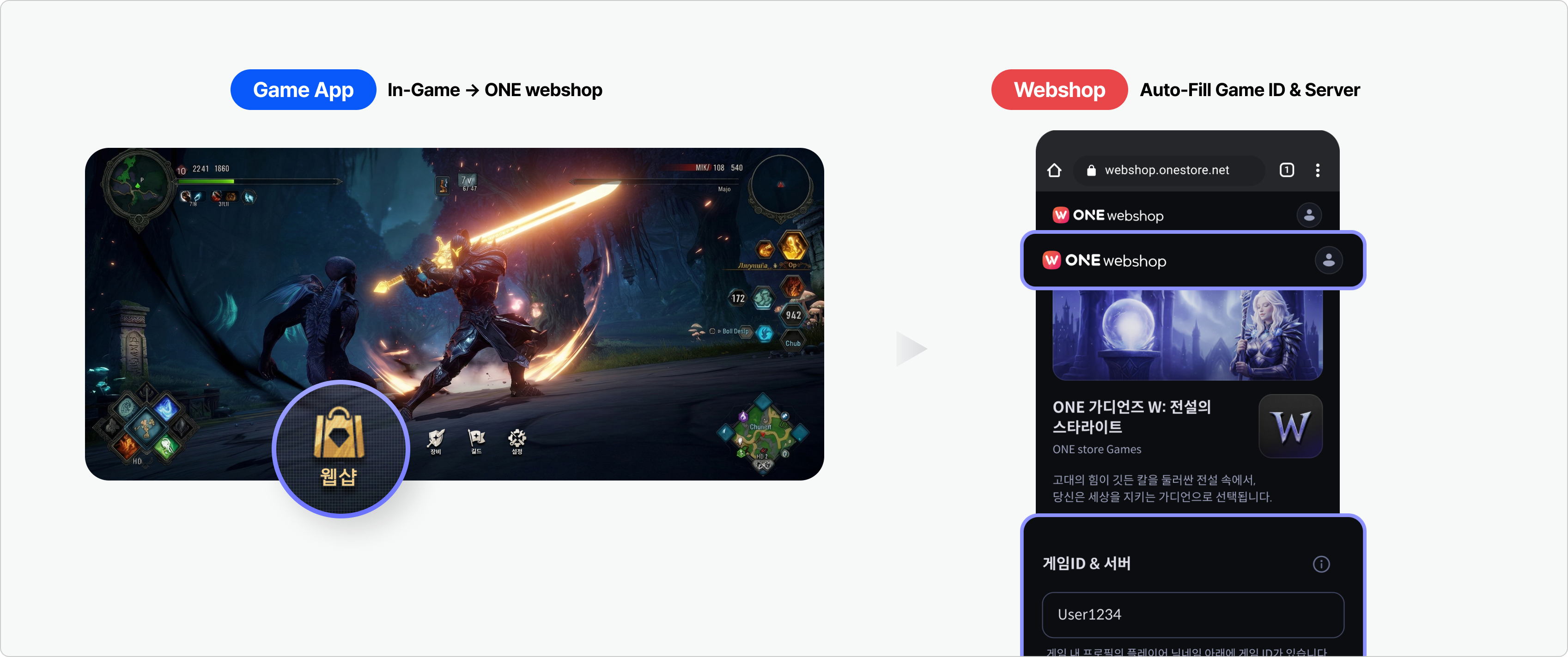
**\[Optional]** You can expose a navigation path in the game that directs users to ONEshop.
If the navigation URL includes the user’s game ID and server information, the Webshop automatically applies the ONE store login status and Purchase Input Information, allowing users to proceed with the purchase immediately.
Example
{% hint style="warning" %}
If the game ID is considered personal information under your privacy policy, additional consent for third‑party data sharing may be required.
{% endhint %}
### 2. Server List Integration View Specs
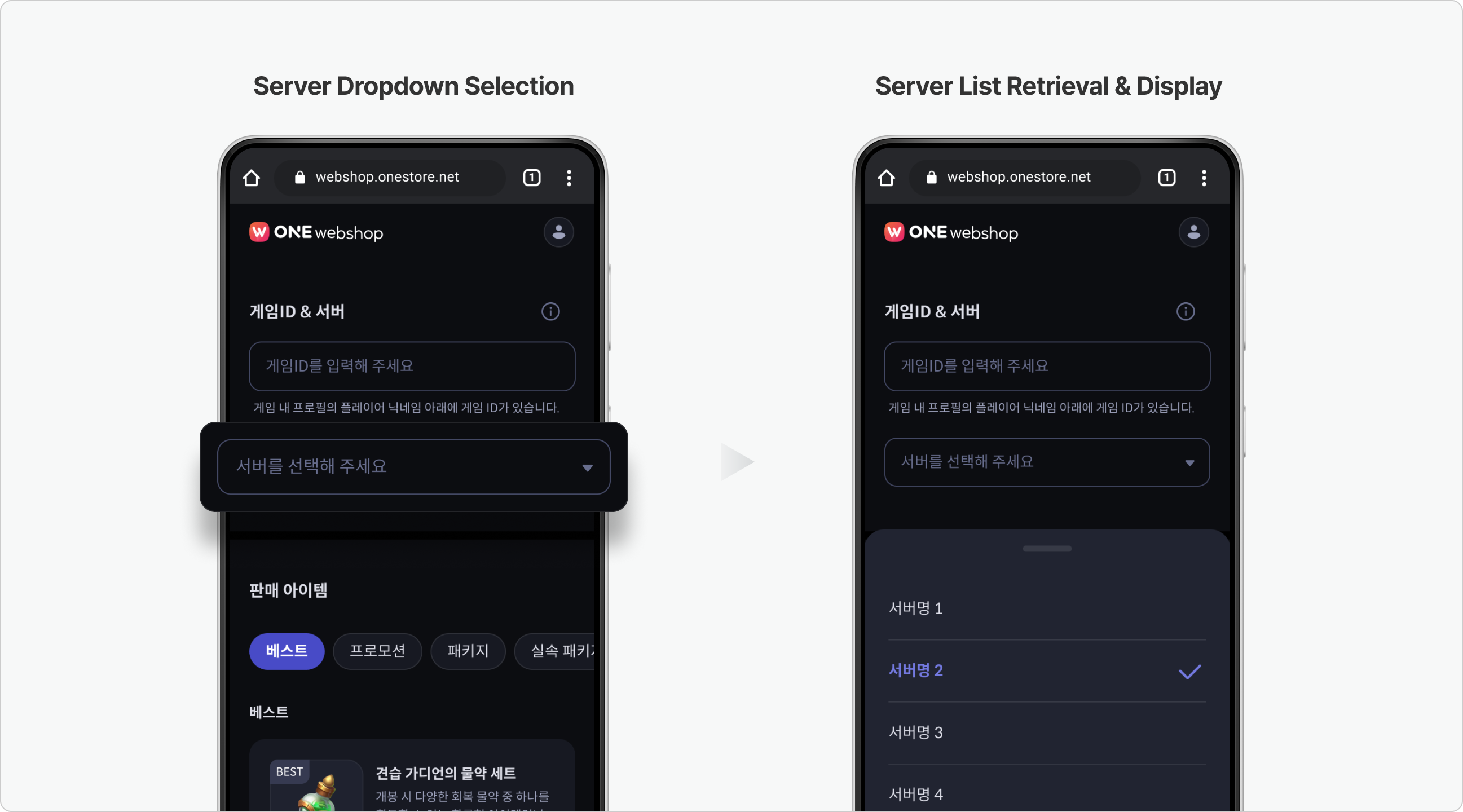
**\[Required]** When users enter the ONEshop detail page, the Webshop retrieves and displays the game server list in real time.
{% hint style="info" %}
If items must be delivered to a specific server, the developer must provide a Server List API.\
This API is called in real time on the Webshop detail page, and when the user completes a purchase, the selected server information is included in the PNS message.
The server list is displayed to users only if the following field is set during title registration:\
`Developer Center > Webshop > Basic Info > Purchase Input Information` = `Purchase Identifier + Server`
{% endhint %}
Example
### 3. User Validation View Specs
**\[Required]** Verifies whether the game ID and server information entered by the user are valid, and checks whether the item can be purchased.
* Game ID is the value used to identify the final recipient (user or character) who will receive the item.In the Webshop, it is transmitted as `serviceUserId`.\
\&#xNAN;*(Depending on the game structure, it may be used as a UID or a Character ID.)*
### 4. PNS (Payment Notification Service)
View Specs
**\[Required]** When a user completes a payment, the Webshop sends the payment result and related information to the game server via a PNS notification.
PNS supports both Commercial Environment and Sandbox Environment.
### 5. Confirm Purchases View Specs
**\[Required]** To ensure that items are delivered correctly, the Confirm Purchases process must be completed.
Depending on your needs, you can use one of two APIs to perform Confirm Purchases.
API
Description
consumePurchase
This is the commonly used method for Confirm Purchases.
After processing, the user can repurchase the same item.
acknowledgePurchase
Used for one-time items.
After processing, the user cannot repurchase the same item.
{% hint style="warning" %}
**Notes**
* After item delivery, the Confirm Purchases process must be completed.
* If Confirm Purchases is not completed within 3 days, the purchase is treated as undelivered and is automatically canceled.
* Until Confirm Purchases is finished, the user cannot repurchase the same item.
{% endhint %}
{% hint style="success" %}
**You can retrieve purchases with unprocessed confirmation using the `getUnconfirmedPurchases` API.**
We recommend using this API to ensure stable payment processing.
* For details, refer to the [getUnconfirmedPurchases](https://onestore-dev.gitbook.io/dev/cht/tools/billing/v21/serverapi#getunconfirmedpurchases) documentation.
{% endhint %}
### TIP. Webshop Implementation Guide
{% hint style="warning" %}
After completing the ONEshop integration, please review key guidelines for live service operation, including **store placement**, **navigation flow**, **UX**, and **operational considerations**.
* Correct Placement of IAP Store and Webshop
* Correct Navigation When Entering the Webshop
* UX Optimization Tips
* Utilizing the Webshop Detail Page
* Handling Purchase Limits
{% endhint %}